Skip to main content

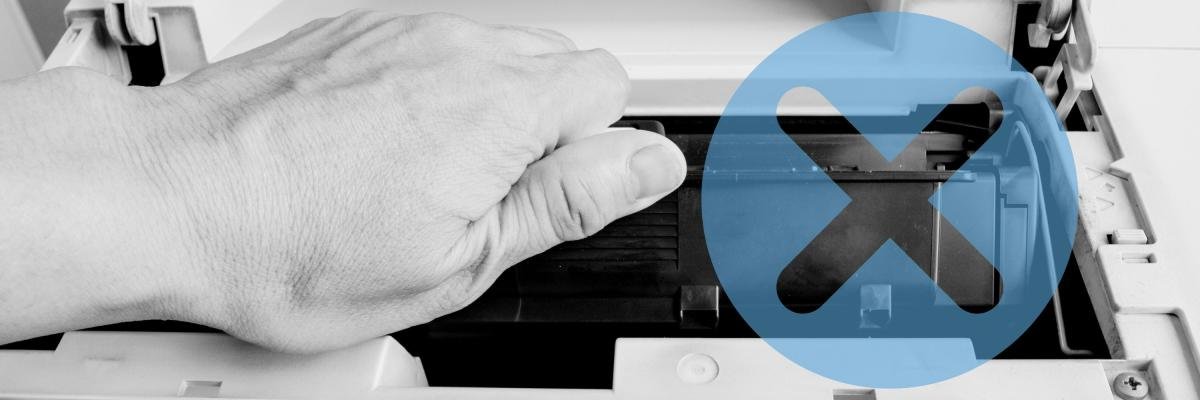
Have you seen the price of toner lately? It ain’t cheap.
And it’s because toner’s so expensive that many people find ways to squeeze as many pages as they can from their cartridges. However, doing so comes with risks. If you replace toner too soon, for example, it can end up costing more than you expect.
After servicing thousands of business printers across North Texas and Southern Oklahoma, we've found that many toner-related problems aren't caused by defective cartridges. Many times, it’s due to easily avoidable mistakes, which we’ve compiled a list of.
To help create this guide, we asked our experienced field technician, Matthew, what mistakes he sees most often in the field.
Below, you'll learn the most common printer toner mistakes, why they matter, and how to avoid them so you can reduce waste, minimize downtime, and get more value from every toner cartridge.
Table of Contents
- Why Toner Mistakes Can Cost More Than You Think
- 10 Common Printer Toner Mistakes
- Replacing Toner Too Early
- Not Fully Installing the Toner Cartridge
- Putting Toner in the Wrong Printer
- Buying Toner You Don't Need
- Losing Spare Toner Cartridges
- Starting Large Print Jobs with Almost Empty Toner
- Storing Toner Improperly
- Throwing Toner Away Incorrectly
- Ignoring Low Toner Warnings
- Waiting Too Long to Ask for Help
- Toner Best Practices Checklist
- FAQ
Short Answer: Printer Toner Mistakes
The most common printer toner mistakes are: replacing toner too early, installing the cartridge incorrectly, using toner in the wrong printer, storing cartridges improperly, and ignoring printer alerts. Avoiding these mistakes can help reduce your printing costs and ensure your printer continues working the way it should.
Why Toner Mistakes Can Cost More Than You Think
Toner is one of the biggest expenses of owning a laser printer. And regardless of your monthly print volume or number of office printers, knowing how to use toner correctly can help you save money and avoid unnecessary troubles.
When it comes to toner, small mistakes can have bigger consequences than you might realize. For example, if you replace toner before it's empty, it ends up wasting usable pages. If you install the wrong cartridge, it can take your printer offline. Even just misplacing a spare toner cartridge can leave your office in limbo when the printer finally runs out.
In the next section, we’ll share the common toner problems we see and the ways to avoid them.
Read More: Printer Toner vs. Ink: Which One is Right for You?
Replacing Toner Too Early
One of the most common mistakes our technicians see is replacing toner too soon.
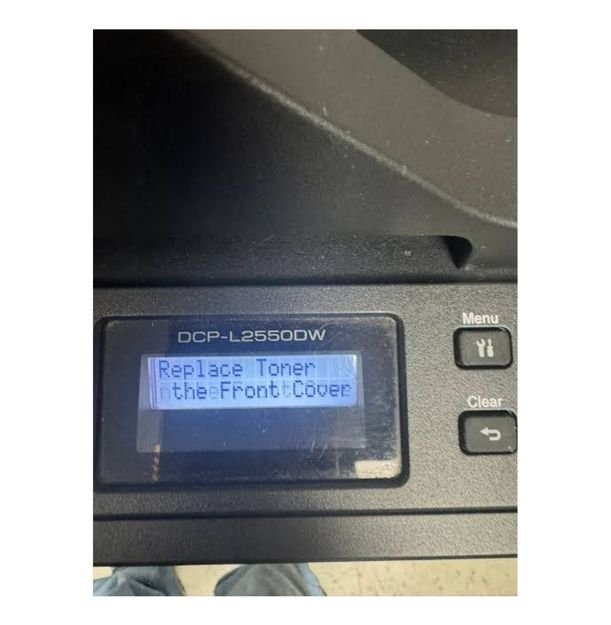
Many printers will show messages such as "Reorder Soon" or "Low Toner." These alerts tell you it’s time to order a replacement, not that the cartridge is empty. If you replace your toner at this stage, you can end up throwing away a cartridge that still has plenty of usable pages left.
How to avoid it:
- Wait until your printer displays "Replace Toner" before installing a new cartridge.
- Keep a spare cartridge on hand so you're prepared when replacement is actually needed.
- Don't confuse "Low Toner" with "Empty Toner."
If you're curious how long a cartridge should last, check out our guide on How Long Does Printer Toner Last?
Not Fully Installing the Toner Cartridge
Although it’s a simple process, many people make the mistake of not pushing their toner cartridge completely into place when replacing it.
Your printer will usually detect that the cartridge isn't seated correctly and display an error message. Until the toner is installed properly, your printer won't be able to print.
How to avoid it:
- Follow the installation instructions for your printer model.
- Slide the cartridge in until it's fully seated.
- Close all printer doors securely before you print.
After installing a new cartridge, print a test page to confirm the printer recognizes it correctly.
Putting Toner in the Wrong Printer
If your office has multiple printers that use similar-looking toner cartridges, you might assume they're interchangeable. But they often are not.
We frequently see customers move toner from one printer to another when one machine runs out. But doing this can create inventory problems for businesses using automatic toner replenishment programs. The system may assume one printer still has a replacement cartridge waiting while another no longer needs one, leading to unexpected toner shortages later.
How to avoid it:
- Use the toner cartridge assigned to that specific printer.
- Check the printer model before opening the box.
- Avoid swapping cartridges between printers unless instructed by your printer vendor.
Buying Toner You Don't Actually Need
Running out of toner is frustrating, so many businesses buy extra cartridges "just in case." But if your printer is covered under a maintenance agreement or Managed Print Services (MPS) program that includes automatic toner shipments, buying your own toner can make things more confusing.
If your printer should have received toner but didn't, it's better to contact your print provider than purchase another cartridge. There may be an issue with meter reporting or automatic replenishment that needs to be corrected.
How to avoid it:
- Know whether your printer is covered by an automatic toner replenishment program.
- Contact your print vendor if toner doesn't arrive when expected.
- Only purchase toner when it's actually needed.
If you're wondering why toner costs what it does, read Why Is Printer Toner So Expensive?
Losing Spare Toner Cartridges
Misplaced toner cartridges are more common than you'd think.
Many businesses receive replacement toner before it's needed so it's ready when the current cartridge runs out. Unfortunately, those spare cartridges sometimes get stored and forgotten in different offices, supply closets, or storage rooms.
Employees end up having to search frantically for toner or wait for another cartridge to arrive.
How to avoid it:
- Store toner in one designated location.
- Keep cartridges in their original packaging until they're needed.
- Assign one person or department to manage printer supplies when possible.
A simple storage system makes it much easier to find the right cartridge when your printer needs it.
Starting a Large Print Job with Almost Empty Toner
Our technicians often see businesses start large print jobs when toner levels are already very low. While automatic toner replenishment systems usually adjust and send another cartridge, shipping still takes time. If the cartridge runs out before the replacement arrives, printing can’t happen.
How to avoid it:
- Check toner levels before starting large print jobs.
- If toner is running low, make sure a replacement cartridge is already available.
- Plan ahead for important print jobs instead of waiting until the last minute.
- Storing Toner Incorrectly
Toner cartridges are fairly durable as long as they remain in their original packaging.
But without proper storage and protection, toner cartridges can deteriorate.
How to avoid it:
- Keep toner in its original box until you're ready to install it.
- Store cartridges in a clean, dry location.
- Avoid excessive heat, humidity, or direct sunlight.
- Don't stack heavy items on top of toner boxes.
A designated storage area also makes it easier to find replacement cartridges when you need them.
Throwing Toner Away Incorrectly
Once a toner cartridge is empty, don't throw it in the trash.
Many toner cartridges can be recycled through manufacturer return programs or local recycling services. Plus, recycling helps keep harmful materials out of landfills while allowing components to be reused in future cartridges.

How to avoid it:
- Check whether your cartridge qualifies for a manufacturer recycling program.
- Use local electronics or office supply recycling programs when available.
- Never burn or dismantle toner cartridges.
For more information, read our guide on How to Recycle Toner.
Ignoring Low Toner Warnings
Earlier, we talked about the mistake of replacing toner too soon. On the opposite end is ignoring low-toner warnings until the printer suddenly stops.
While "Low Toner" doesn't always mean immediate replacement, it’s a reminder to prepare. If you wait until the printer displays "Replace Toner" without a replacement on hand, you can cause unexpected downtime.
How to avoid it:
- Order replacement toner when the printer recommends reordering.
- Keep a spare cartridge available for critical printers.
- Replace the cartridge when the printer indicates it's time.
Waiting Too Long to Ask for Help
If something doesn't seem right after replacing toner, don't assume it will fix itself.
Maybe your printer isn't recognizing a new cartridge or toner shipments have stopped arriving. It’s best to reach out to your printer vendor early to prevent a small issue from becoming a bigger one later on. As our technician explained, automatic toner replenishment systems work very well most of the time, but if something isn't working correctly, let your provider know so they can investigate and resolve the issue.
How to avoid it:
- Contact your printer vendor if toner doesn't arrive when expected.
- Report recurring toner errors instead of repeatedly replacing cartridges.
- Ask questions if you're unsure whether something is working correctly.
Sometimes a quick phone call is all it takes to avoid unnecessary downtime.
Toner Best Practices Checklist
Before replacing or ordering toner, use this quick checklist:
- Wait until your printer says "Replace Toner," not just "Low Toner."
- Keep a spare toner cartridge for important printers.
- Make sure the cartridge is fully installed.
- Verify you're using the correct toner for your printer model.
- Store toner in its original packaging in a clean, dry location.
- Recycle empty toner cartridges responsibly.
- Contact your printer vendor if something doesn't seem right.
These simple habits can help you reduce waste, avoid unnecessary printing interruptions, and get the most value from every toner cartridge.
FAQ
How often should printer toner be replaced?
Replace toner when your printer displays a "Replace Toner" message or print quality begins to noticeably decline. Avoid replacing cartridges simply because they show "Low Toner" or "Reorder Soon."
Why is my printer saying "Replace Toner" after I installed a new cartridge?
This usually happens if the cartridge isn't fully seated, the wrong cartridge was installed, or the cartridge is incompatible with your printer. Reinstall the cartridge and verify you're using the correct model.
Can I refill a toner cartridge myself?
Refill kits are generally not recommended for most users. Not only can refilling a toner cartridge get messy, but it may also affect print quality and could void your printer's warranty depending on the manufacturer.
Can I throw toner cartridges in the trash?
It's better to recycle them whenever possible. Many manufacturers and office supply stores offer toner recycling programs that make disposal simple and environmentally responsible.
How do I know when my printer needs new toner?
Most printers display a "Low Toner" or "Replace Toner" message. You may also notice faded prints, streaks, or inconsistent print quality as toner runs low.
Set Yourself Up to Get More from Every Toner Cartridge
Printer toner is an ongoing investment, and a few simple habits can help you get the most value from every cartridge. Replacing toner at the right time, using the correct cartridge, storing supplies in one location, and paying attention to your printer's alerts can all reduce waste and prevent unnecessary downtime.
Now that you know the most common toner mistakes to avoid, you can keep your printer running reliably and your printing costs under control.
If you're managing multiple printers and find it difficult to keep track of toner inventory, automatic shipments, or supply ordering, Strategic Technology Partners of Texas (STPT) can help. We work with businesses across North Texas and Southern Oklahoma to simplify printer management and keep their devices supplied with the toner they need—so they can spend less time worrying about supplies and more time focusing on their business.