 Skip to main content

Everyone knows that sensitive documents should never be left unattended in a printer tray, unless you want unauthorized eyes to see them. But many don't know which printer features best prevent that from happening.
Secure Print and Follow Me Printing both hold documents until a user is ready to retrieve them. While these methods sound similar, it’s easy to assume they work the same way. However, the location of the print job, the available printers, and the way users authenticate can be different.
In this article, we will compare Follow Me Printing vs. Secure Print so you can decide which option makes the most sense for your users, printers and security needs.
Table of Contents
- What Is Secure Print?
- What Is Follow Me Printing?
- How Do Their Workflows Compare?
- Which Option Provides Better Print Security?
- What Are the Advantages and Limitations?
- Who Should Use Each Option?
- Can a Business Use Both?
- How Do You Choose?
- FAQ
Short Answer: Follow Me Printing vs. Secure Print
Secure Print holds a document at a specific printer until the user enters a PIN or another required credential. Follow Me Printing sends the document to a shared queue, allowing the user to authenticate and release it from any authorized printer in the network.
Secure Print is generally the simpler option. Follow Me Printing usually offers more flexibility, centralized management, and fleet-wide reporting, but it also requires additional print-management infrastructure.
One terminology note: “secure printing” can also describe the broader category of protected printing methods. For this comparison, Secure Print refers to the device-level feature that holds a job at a selected printer.
What Is Secure Print?
Secure Print is a feature that holds a print job instead of releasing it immediately. To retrieve the document, the user visits the selected printer and enters a PIN, passcode, or other required credential.
The process typically works like this:
- The user selects a specific printer.
- The user chooses Secure Print in the print driver.
- The user creates or enters a passcode.
- The printer holds the job.
- The user enters the passcode at that printer.
- The printer releases the document.
Many business printers include Secure Print as a built-in feature, although the exact name and available authentication methods vary by manufacturer and model.
Secure Print protects document release at a selected device. It can prevent confidential pages from sitting in the output tray, but it does not necessarily provide centralized control over an entire printer fleet.
What Is Follow Me Printing?
Follow Me Printing, also called pull printing, print roaming or Find-Me printing, holds a job in a shared queue. The user can then authenticate and release the document from an authorized printer in the network.
The workflow generally looks like this:
- The user sends a document to a shared or virtual print queue.
- The print-management system holds the job.
- The user visits an available authorized printer.
- The user authenticates with a badge, PIN, login, or mobile application.
- The system routes the job to that printer and releases it.
The important difference is that the user isn’t tied to the printer they originally chose.
Learn more about Follow Me Printing here.
How Do Secure Print and Follow Me Printing Work Differently?
With Secure Print, an employee chooses a specific printer and sets a PIN; the document prints only when they enter the PIN at that printer. If the printer is busy or unavailable, they must resend elsewhere.
With Follow Me Printing, the document goes to a shared queue and can be retrieved from any authorized printer after authentication.
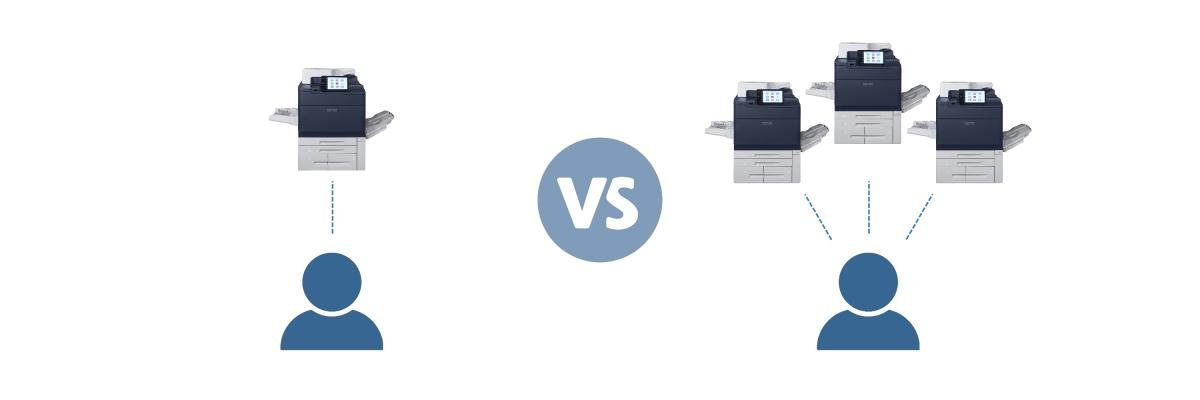
The key difference is that Secure Print links the job to a printer, while Follow Me Printing links it to an authenticated user who can access it from multiple devices.
Follow Me Printing vs. Secure Print Comparison
| Comparison | Secure Print | Follow Me Printing |
|---|---|---|
| Where the job is held | Usually at the selected printer | In a central, virtual or cloud-managed queue |
| Where the job is released | At the printer originally selected | At an authorized printer in the system |
| Authentication | Commonly a PIN or passcode | Badge, PIN, login, mobile app or another integrated method |
| Additional software | May be built into the printer | Usually requires print-management software |
| User flexibility | Limited to the selected printer | Users can move between authorized printers |
| Central administration | Usually limited | Typically offers centralized controls |
| Reporting | Depends on the printer | Often includes user, device and cost reporting |
| Implementation | Generally simpler | Requires more planning and configuration |
| Best fit | Smaller or simpler environments | Shared, mobile or multi-device environments |
Exact capabilities depend on the printer, print-management platform, licensing and configuration.
Which Option Provides Better Print Security?
Both options can improve print security because both prevent documents from printing before the user is present.
Secure Print provides enough protection when an employee consistently uses one printer and needs to secure occasional confidential jobs. Follow Me Printing gives broader control when an organization has multiple devices, mobile employees, or more advanced reporting requirements.
Follow Me Printing can also connect print activity to individual user accounts, so administrators can see who released a document, where it printed, and when the activity occurred.
Neither method provides complete printer security by itself. Holding a job doesn’t automatically update firmware, protect administrator accounts, encrypt every connection, or disable unnecessary services. Secure release should be part of a larger security strategy.
For additional ways to protect your devices and documents, read our guide to common printer security mistakes and how to solve them.
What Are the Advantages and Limitations of Secure Print?
Advantages of Secure Print
- The feature is often included with the printer.
- It’s pretty straightforward to use.
- It may not require separate print-management software.
- It works well for occasional confidential documents.
- It can be sufficient for a small office with few printers.
Limitations of Secure Print
- The job is usually tied to one printer.
- Users may need to create and remember PINs.
- Features can vary between printer brands and models.
- Centralized reporting may be limited.
- Managing the feature across a large fleet can become inconsistent.
- It doesn’t provide the same print-roaming flexibility as Follow Me Printing.
What Are the Advantages and Limitations of Follow Me Printing?
Advantages of Follow Me Printing
- Users can retrieve documents from an available authorized printer.
- Central queues simplify printer selection.
- Authentication can be connected to individual users.
- Unreleased jobs can be deleted automatically according to policy.
- Administrators may receive fleet-wide usage and cost reporting.
- Users can avoid resending jobs when a printer is unavailable.
- Organizations can apply more consistent print policies.
Limitations of Follow Me Printing
- It generally requires print-management software.
- Software licenses, badge readers or professional setup may add costs.
- Printer compatibility must be evaluated.
- IT must manage users, queues and release policies.
- A poorly designed authentication process can frustrate employees.
- The solution may be unnecessarily complex for an office with only one printer.
Who Should Use Secure Print?
Secure Print may be the better fit for:
- Small offices with one or two printers
- Businesses that print sensitive documents occasionally
- Employees who consistently use the same device
- Organizations seeking a low-complexity starting point
- Departments that only need basic PIN-protected release
Who Should Use Follow Me Printing?
Follow Me Printing is usually better suited for:
- Organizations with several shared printers
- Employees who move between departments or locations
- Hybrid offices and shared workspaces
- Healthcare, legal, education and financial organizations
- Businesses seeking centralized policies and reporting
- IT teams that want to reduce the number of print queues users must navigate
- Organizations trying to reduce abandoned or misdirected print jobs
Can a Business Use Both?
Yes. An organization can use Follow Me Printing for its main fleet while retaining built-in Secure Print on a specialized device or a printer outside the managed environment.
Users generally don’t need to apply both methods to the same job. Follow Me Printing already incorporates a secure hold-and-release process. It’s best to decide which workflow applies to each device, department or location.
How Do You Choose the Right Option?
Start with these questions:
- How many printers need to be included?
- Do employees always use the same printer?
- Which documents require controlled release?
- Is a basic PIN enough, or do you need identity-based authentication?
- Does IT need centralized usage and security reporting?
- Do you already have compatible print-management software?
- How much ongoing administration can your team support?
- Which printers are compatible with the desired workflow?
FAQ
Is Follow Me Printing the same as Secure Print?
Not exactly. Both hold documents until a user releases them, but Follow Me Printing generally adds a shared queue and allows users to retrieve jobs from different authorized printers.
Does Secure Print require additional software?
Not always. Many business printers include a built-in Secure Print or confidential-print feature. Available functions vary by manufacturer and model.
Does Follow Me Printing require a print server?
Not necessarily. Some systems use an on-premises print server, while other solutions use cloud or hybrid infrastructure.
Can Follow Me Printing work with different printer brands?
Some print-management platforms support mixed-brand fleets. However, compatibility and available features should be confirmed for every printer model.
Is Follow Me Printing more expensive than Secure Print?
Follow Me Printing normally requires more software, configuration and infrastructure than a built-in Secure Print feature. The total cost depends on the number of users, printers, authentication methods and selected platform.
Which Secure Printing Method Fits Your Office?
Secure Print and Follow Me Printing can both prevent confidential documents from being left unattended, but they solve the problem at different scales.
Use Secure Print when employees use a small number of known devices. Use Follow Me Printing when users move between printers or IT needs centralized authentication, reporting, and control.
It will all depend on how your employees actually print.
If you’re unsure whether your existing printers can support the workflow you need, request a print-management consultation. STPT can review your environment, discuss your security concerns, and help you determine which approach fits your business.
