 Skip to main content

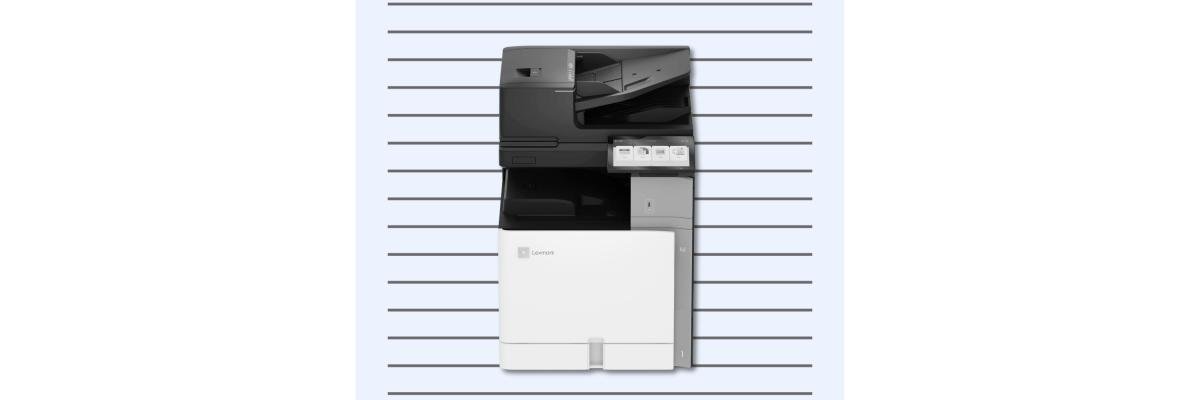
When shopping for an office printer, you might assume that a bigger machine can print on bigger paper. But this isn’t always the case.
The Xerox CX833 is a good example of why a printer's physical size doesn't always tell you what paper sizes it supports. Although it has the footprint of a larger departmental multifunction printer, it can only print on paper up to Legal size (8.5 × 14 inches), not A3 or 11 × 17 inches.
So, why would a business choose a larger printer that can't print on larger paper?
At Strategic Technology Partners of Texas (STPT), we help businesses find printers based on how they'll actually use them, not simply how big or powerful they are. In this article, we'll explain what makes the CX833 different, who it's best suited for, and when another printer might make more sense.
Table of Contents
- Quick Answer: Who Is the Xerox CX833 For?
- What Is the Xerox CX833?
- Why Is the CX833 an A3-Sized Machine That Prints A4?
- Who Should Consider the Xerox CX833?
- Who Shouldn't Buy the Xerox CX833?
- Xerox CX833 vs. Smaller A4 and Full A3 Printers
- FAQ
- Is the Xerox CX833 Right for You?
Quick Answer: Who Is the Xerox CX833 For?
The Xerox CX833 suits medium-to-large workgroups that print high volumes of standard-sized documents and need fast scanning, generous paper capacity, and advanced finishing options.
Although it's larger than many A4 printers, the CX833 can only print on paper up to Legal size. It can’t print on A3 or 11 × 17-inch paper.
This makes it a practical choice for organizations that need the productivity of a larger departmental printer but rarely, if ever, print oversized documents.
What Is the Xerox CX833?
The Xerox CX833 is a high-performance A4 color multifunction printer (MFP) from the Xerox 8-Series. It combines printing, copying, scanning, and optional finishing in one device.
It's designed for busy workgroups that need to handle large amounts of paperwork without relying on several smaller printers.
Xerox CX833 Key Specifications
|
With speeds of up to 55 pages per minute and a recommended monthly volume of up to 50,000 pages, the CX833 handles demanding workloads.
Its standout feature is pairing high-volume capability with A4-class printing.
For a closer look at its features, advantages, and potential drawbacks, read our Xerox CX833 review.
Why Is the CX833 an A3-Sized Machine That Prints A4?
This may be the CX833’s most interesting feature, and understanding it can help you decide whether it's worth considering.
Here’s a look at the differences between A3 and A4.
- A4 paper measures approximately 8.3 × 11.7 inches and is similar to standard U.S. Letter paper (8.5 × 11 inches).
- A3 paper measures approximately 11.7 × 16.5 inches and is similar to 11 × 17-inch paper commonly used for spreadsheets, diagrams, and larger documents.
Most A4 printers are compact, while A3 multifunction printers are larger to handle oversized paper.
The CX833’s larger design instead supports productivity, with features such as high-capacity paper handling, a large document feeder, and optional finishing accessories.
It can also scan originals up to about 11.7 × 17 inches, though it cannot print at that size.
This distinction matters: businesses that mainly print Letter and Legal documents but need fast scanning and ample paper capacity may find the CX833 a good fit.
Who Should Consider the Xerox CX833?
The CX833 isn't for every office, but several types of organizations could benefit.
Medium-to-Large Offices With High Print Volumes
If your department regularly prints thousands of pages each month, a small desktop printer may struggle to keep up.
With print speeds of up to 55 ppm and a maximum paper capacity of 4,750 sheets, the CX833 is built for busy workgroups that need to print reports, invoices, contracts, and other standard-sized documents throughout the day.
Its larger paper capacity also means employees don’t have to refill trays as often.
Organizations With Heavy Scanning Needs
For some businesses, scanning is just as important as printing.
The CX833 includes a 300-sheet single-pass duplex automatic document feeder (ADF), with scanning speeds of up to 240 images per minute.
This allows users to scan both sides of a document in one pass, making it particularly useful for departments that regularly digitize large batches of paperwork.
Accounting firms, legal offices, healthcare administrative teams, and schools may find these capabilities helpful when managing records, forms, and other documents.
Departments That Need Professional Finishing
Not every office needs to print oversized documents, but many still need professional-looking materials.
The CX833 supports optional finishing capabilities, including stapling, hole punching, and booklet finishing.
These options help departments that regularly produce training packets, reports, presentations, and other multi-page documents. They can automate finishing tasks, eliminating the need to manually sort and staple large print jobs.
Businesses Managing Multiple Office Printers
The CX833 may also appeal to organizations that want a consistent, centrally managed printing environment.
Its 10.1-inch touchscreen, security features, and compatible workflow solutions can help employees complete common document tasks and support IT management.
For organizations with multiple devices, these capabilities can make printing workflows more consistent across departments.
Who Shouldn't Buy the Xerox CX833?
As capable as the CX833 is, there are situations where another printer would be a better investment.
Businesses that need 11 × 17-inch printing: If your team regularly prints large spreadsheets, construction drawings, posters, or oversized marketing materials, you'll need a true A3 printer. Consider models in the Xerox 9-Series or AltaLink families.
Small offices with low print volumes: If you print only a few hundred pages each month, the CX833's speed and capacity may be unnecessary. A compact A4 multifunction printer could be more practical and cost-effective.
Offices with limited space: The CX833 has a large footprint, especially when you add trays or finishers. Make sure you have room for the device and its configuration. Learn more about printer space requirements here.
Organizations with specialized graphic design needs: If your work requires larger media sizes or advanced production-quality output, an A3 or production printer may be a better fit.
The takeaway is that more capacity isn't always better if your business doesn't need it.
Xerox CX833 vs. Smaller A4 and Full A3 Printers: Which Makes More Sense?
When comparing printers, the CX833 falls into an interesting middle ground.
It's larger and more capable than many compact A4 multifunction printers, but it doesn't offer the larger print sizes of a true A3 device.
Choosing Between a Compact A4, Xerox CX833, and A3 Printer
| Printer Type | Best For |
| Compact A4 multifunction printer | Small offices with moderate printing needs and limited space |
| Xerox CX833 | Busy workgroups needing fast, high-volume Letter/Legal printing, scanning, and finishing |
| Full A3 multifunction printer | Businesses needing larger print sizes alongside departmental printing capabilities |
For example, a small accounting office that prints 500 pages per month probably doesn't need the CX833.
However, a large accounting department printing thousands of Letter-sized reports, scanning client paperwork, and producing finished document packets could benefit from its speed and capacity.
Meanwhile, an architectural firm that regularly prints 11 × 17-inch drawings would be better served by an A3-capable model.
To better understand how paper size affects printer selection, read our article on A3 vs. A4 printers.
FAQ
Can the Xerox CX833 print 11 × 17-inch paper?
No. The CX833 can print on paper up to Legal size (8.5 × 14 inches), but it cannot print on 11 × 17-inch or A3 paper.
Is the Xerox CX833 an A3 or A4 printer?
The Xerox CX833 is an A4-class multifunction printer with a larger departmental-machine footprint. Its physical size doesn't mean it supports A3 printing.
Why is the Xerox CX833 larger than a typical A4 printer?
Its larger design accommodates high-volume printing features, including a 300-sheet document feeder, substantial paper capacity, and optional finishing accessories.
Can the Xerox CX833 scan A3-sized documents?
Yes. The CX833 supports scanning originals up to approximately 11.7 × 17 inches, even though its maximum supported printing size is Legal.
Is the Xerox CX833 Right for You?
At first glance, the Xerox CX833 is an uncommon large MFP, as it doesn't support 11 × 17-inch printing.
But it can be the right choice for certain businesses and organizations. Particularly those that print thousands of standard-sized documents, regularly scan large batches of paperwork, and need advanced paper-handling capabilities.
However, if you need oversized printing or only produce a few hundred pages each month, the CX833 might not be for you.
Ultimately, the right printer isn't determined by its physical size, but by how well its capabilities match your workload.
Find the Right Printer for Your Office
If you're still deciding whether the Xerox CX833 is the right fit, our Product Configurator can help.
You can explore different Xerox models, compare specifications and features, and narrow down the options based on your print volume, paper requirements, and office needs.
Explore Our Printer Configurator to find a model that fits your business, or Request a Quote if you'd like help reviewing your options with our team.
