 Skip to main content


Choosing an office printer can get frustrating once you start comparing models. One printer may have the speed you need but cost more to operate, while another may be affordable but struggle to keep up with your monthly workload.
If you’re a small or medium-sized office, your printer needs to handle everyday documents reliably without taking up unnecessary space, creating bottlenecks, or costing more than expected in ink, toner, and maintenance.
At Strategic Technology Partners of Texas (STPT), we've spent more than 40 years helping organizations choose printers that match their actual workloads and business needs.
In this guide, we'll compare five of the best printers for small and medium-sized offices in 2026, explain who each model is best for, and cover the features you should consider before making a decision.
What Is the Best Printer for a Small or Medium-Sized Office in 2026?
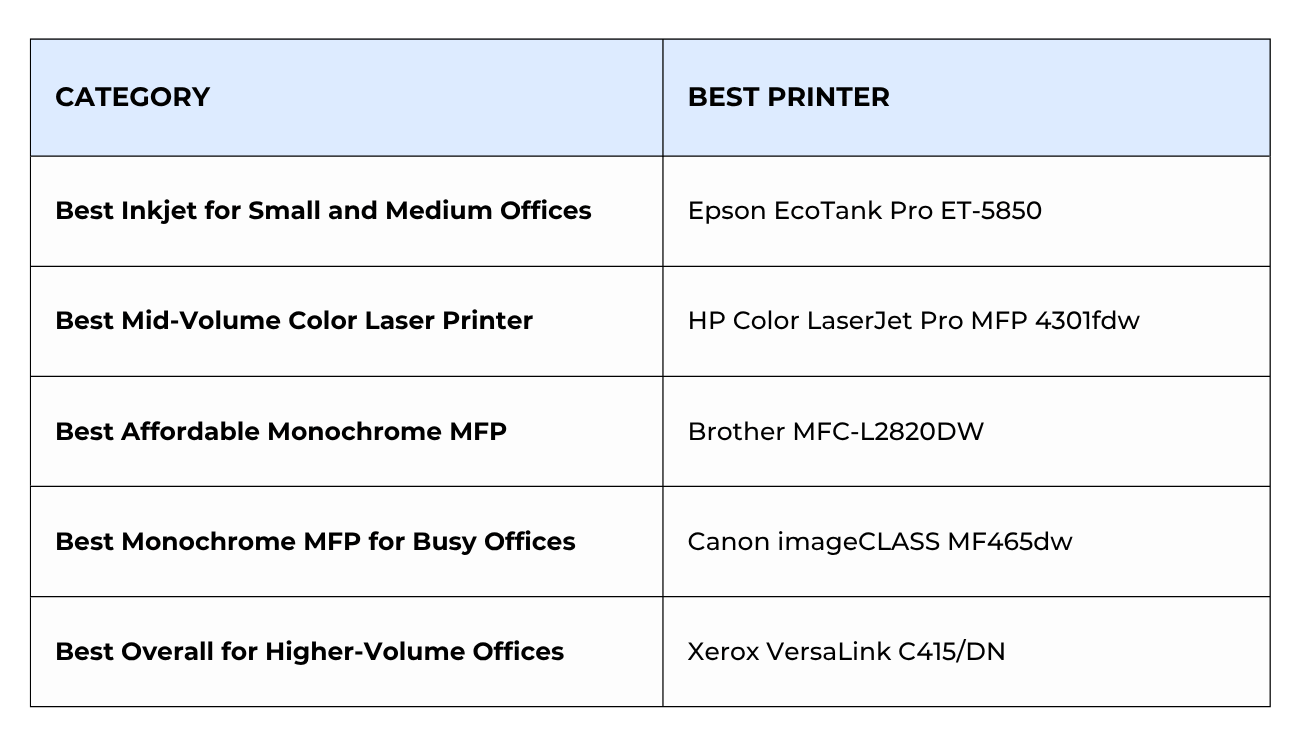
The best printer for a small or medium-sized office depends on print volume, color requirements, budget, and workflow needs. The Xerox VersaLink C415 is a strong option for higher-volume offices, while models like the Brother MFC-L2820DW and Canon imageCLASS MF465dw are better suited for businesses that primarily print black-and-white documents.
Table of Contents
- What Is the Best Printer for a Small or Medium-Sized Office in 2026?
- Comparing the Best Office Printers
- What Type of Printer Is Best for Office Use?
- How We Chose These Printers
- 5 Best Printers for Small and Medium-Sized Offices
- Why Recommended Monthly Print Volume Matters
- What Should You Look for in an Office Printer?
- FAQ
- Which Office Printer Is Right for Your Business?
Comparing the Best Printers for Small and Medium-Sized Offices
What Type of Printer Is Best for Office Use?
A multifunction laser printer is often the best fit for offices that print frequently because it combines printing, scanning, copying, and sometimes faxing with fast speeds and higher page yields.
However, laser isn't automatically the right choice for every business. An inkjet printer can work well for offices with lower or moderate print volumes that regularly need high-quality color output. Ink tank systems can also offer a low cost per page for businesses that print consistently.
The right technology ultimately depends on what you print, how often you print, and how much you're willing to spend on the equipment and its supplies.
How We Chose These Printers
There isn't one printer that's right for every small or medium-sized business. To build this list, we focused on several factors that have the biggest impact on everyday office use:
- Print Volume and Speed: The printer should comfortably handle its intended monthly workload without creating delays.
- Functionality: Printing, scanning, copying, faxing, and duplex capabilities can eliminate the need for multiple devices.
- Running Costs: Ink, toner, and other supplies affect the total cost of ownership long after the initial purchase.
- Reliability and Ease of Use: Business printers should be straightforward to operate and dependable during busy workdays.
- Connectivity and Workflows: Mobile printing, cloud access, wireless connectivity, and scanning options can make everyday tasks more efficient.
With those factors in mind, here are our five picks.
5 Best Printers for Small and Medium-Sized Offices in 2026
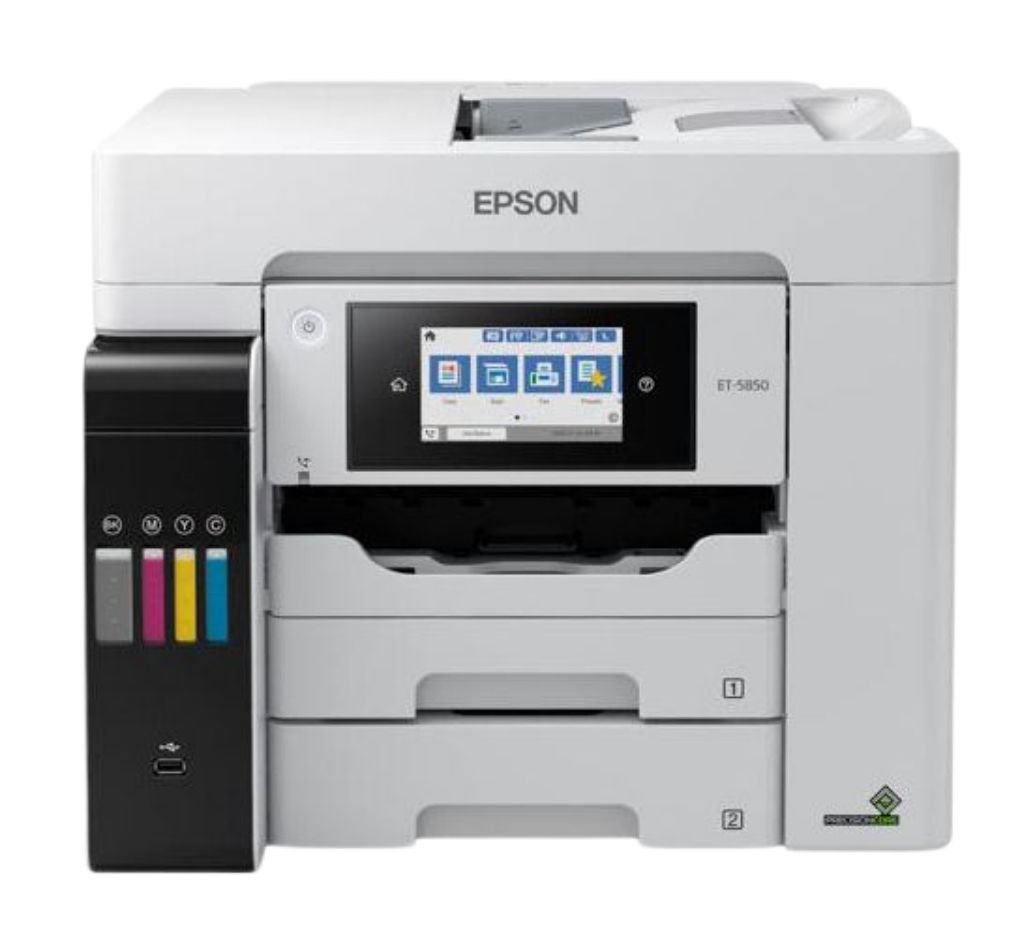
Best Inkjet: Epson EcoTank Pro ET-5850
Why We Recommend It
The Epson EcoTank Pro ET-5850 is our top inkjet pick because it combines fast color printing with refillable ink tanks and low ongoing printing costs. It's particularly useful for offices that print color documents regularly.
Basic Specifications
- Functions: Print, Copy, Scan, Fax
- Print Speed: Up to 25 ppm black and color
- Recommended Monthly Print Volume: Up to 3,300 pages
- Monthly Duty Cycle: Up to 66,000 pages
- Dimensions: 16.7" x 19.7" x 13.8"
- Weight: Around 39.2 pounds
- Cost: Starting around $850 at Epson
Best For: Small and medium offices that print color regularly and want to keep ink costs under control.
The ET-5850 uses refillable ink tanks instead of traditional cartridges. Replacement ink sets can produce thousands of pages, making it a practical option for offices with consistent printing needs.
It also includes automatic two-sided printing, copying, scanning, and faxing, along with a 4.3-inch touchscreen and substantial paper capacity. Those features make it more business-oriented than a typical desktop inkjet.
Because it uses liquid ink, the ET-5850 is better suited to offices that print regularly. Extended periods of inactivity can require additional printhead maintenance.
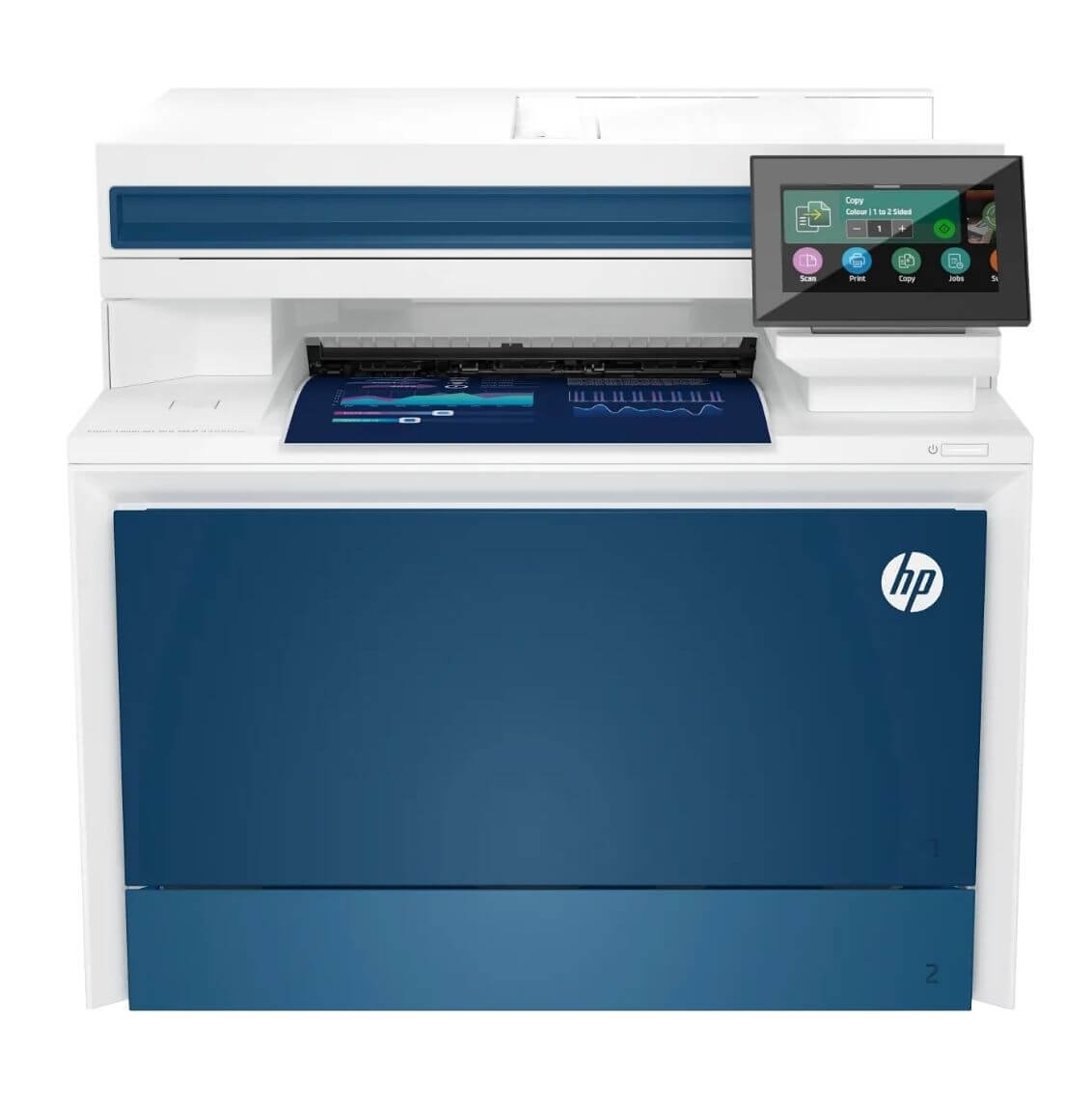
Best Mid-Volume Color Laser Printer: HP Color LaserJet Pro MFP 4301fdw
Why We Recommend It
The HP Color LaserJet Pro MFP 4301fdw is a strong choice for businesses that need fast, professional color output with security and wireless connectivity built in.
Basic Specifications
- Functions: Print, Copy, Scan, Fax
- Print Speed: Up to 35 ppm
- Recommended Monthly Print Volume: Up to 4,000 pages
- Monthly Duty Cycle: Up to 50,000 pages
- Automatic Duplex Printing: Yes
- Connectivity: Wi-Fi, Ethernet and mobile printing
- Cost: Starting at around $650 at HP
Best For: Small and medium-sized workgroups that regularly need color printing and prioritize speed and security.
The 4301fdw prints up to 35 pages per minute and includes automatic two-sided printing, scanning, copying, and faxing. HP also equips it with self-healing Wi-Fi and HP Wolf Pro Security to help keep the device connected and protect business information.
Its combination of color output and moderate recommended monthly volume makes it suitable for offices producing reports, presentations, client documents, and other professional materials.
One consideration is toner cost. Color laser supplies can cost more to replace than ink, particularly for offices that produce a large amount of color output.
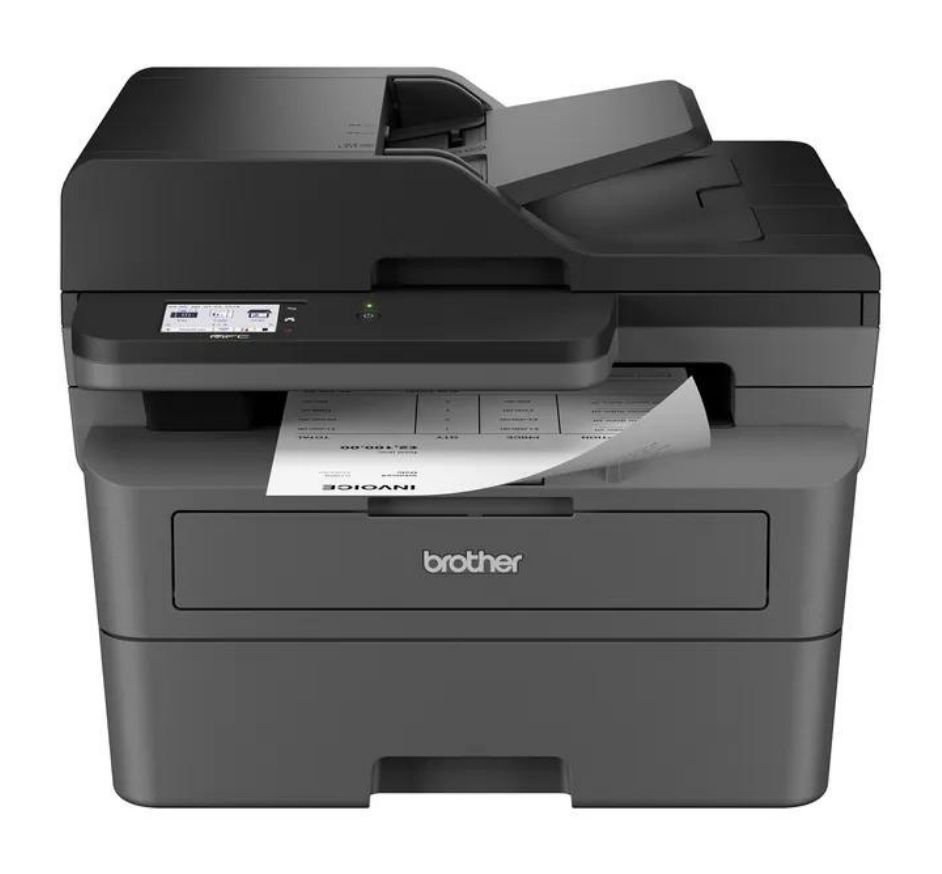
Best Affordable Monochrome MFP: Brother MFC-L2820DW
Why We Recommend It
The Brother MFC-L2820DW is our affordable monochrome pick because it combines fast black-and-white printing, multifunction capabilities, and strong connectivity without requiring a large upfront investment.
Basic Specifications
- Functions: Print, Copy, Scan, Fax
- Print Speed: Up to 34 ppm
- Recommended Monthly Print Volume: Up to 2,500 pages
- Monthly Duty Cycle: Up to 35,000 pages
- Connectivity: Wi-Fi, Ethernet and USB
- Automatic Duplex Printing: Yes
- Dimensions: 16.1" x 15.7" x 12.5"
- Weight: Around 25.5 pounds
- Cost: Starting at around $280 at Brother
Best For: Smaller offices that primarily print black-and-white documents and want affordable multifunction capabilities.
The MFC-L2820DW can handle reports, invoices, forms, contracts, and other text-heavy business documents at speeds of up to 34 pages per minute. Automatic duplex printing can also reduce paper use during larger jobs.
It supports dual-band wireless, Ethernet, mobile printing, and several cloud services. Its compact footprint makes it particularly useful for smaller offices where desk or counter space is limited.
The main tradeoff is color. Businesses that regularly produce presentations, graphics, or marketing materials will need a color printer instead.
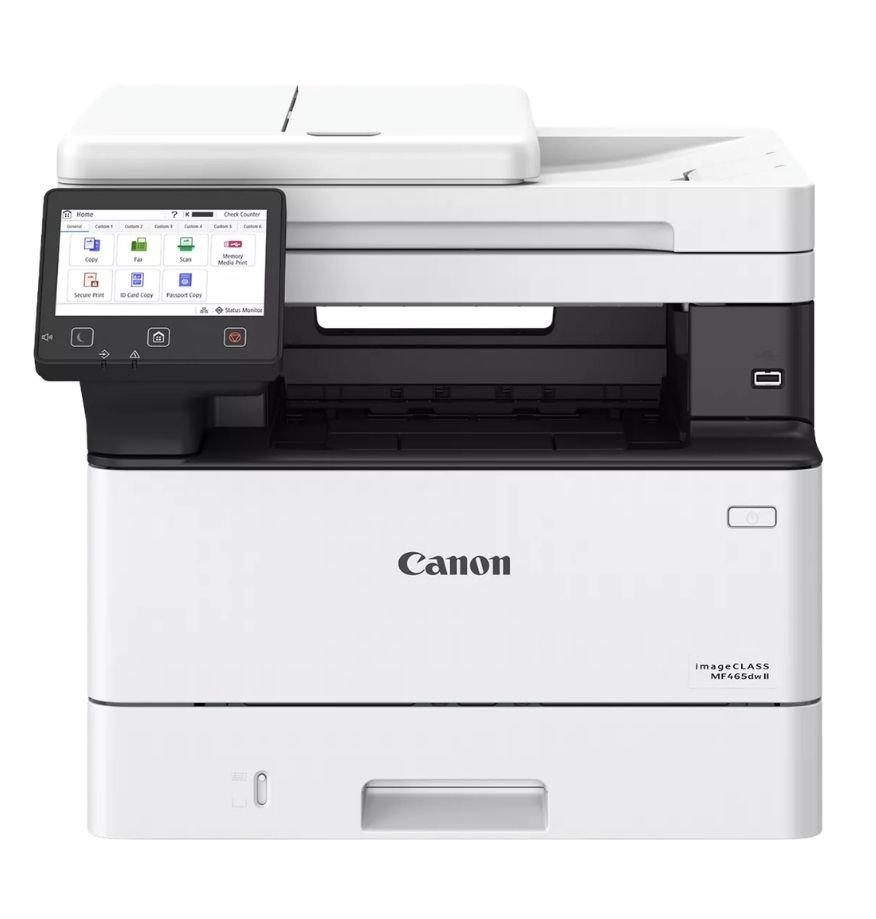
Best Monochrome MFP for Busy Offices: Canon imageCLASS MF465dw II
Why We Recommend It
The Canon imageCLASS MF465dw II combines 42-ppm monochrome printing with single-pass duplex scanning and a customizable touchscreen, making it a strong option for document-heavy offices.
Basic Specifications
- Functions: Print, Copy, Scan, Fax
- Print Speed: Up to 42 ppm
- Recommended Monthly Print Volume: 750–4,000 pages
- Print Resolution: Up to 1200 x 1200 dpi
- Automatic Document Feeder: 50 sheets
- Connectivity: Wi-Fi, Ethernet and USB
- Dimensions: 16.6" x 18.1" x 14.8"
- Weight: Around 34.4 pounds
- Cost: Starting at around $330 at Canon
Best For: Busy offices that primarily produce black-and-white documents and regularly scan multi-page files.
The MF465dw prints up to 42 pages per minute and includes a 50-sheet duplex automatic document feeder. Its one-pass two-sided scanning can save time when digitizing contracts, records, forms, and other multi-page documents.
A 5-inch color touchscreen, wireless connectivity, and expandable paper capacity make it flexible enough for a variety of office workflows.
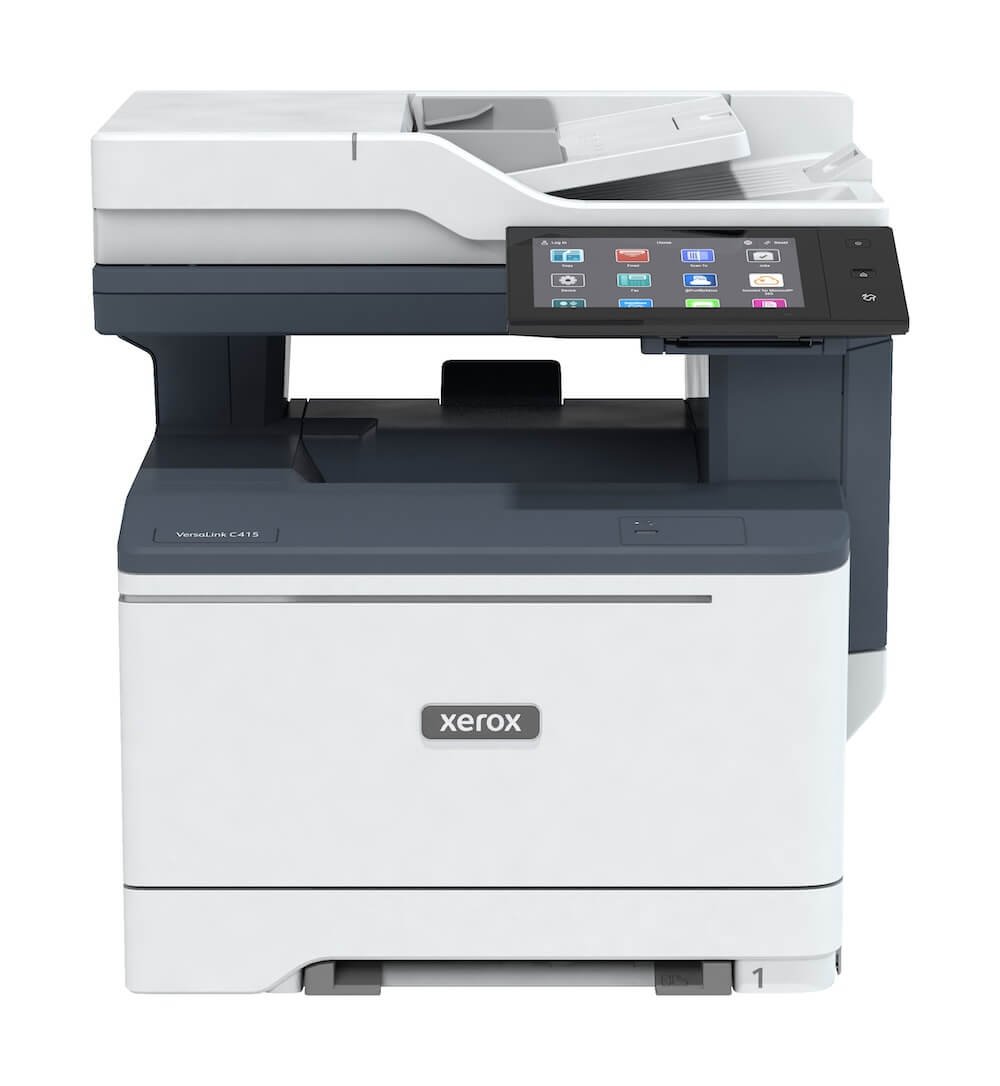
Best Overall for Higher-Volume Offices: Xerox VersaLink C415/DN
Why We Recommend It
The Xerox VersaLink C415 is our top higher-volume option because it combines fast color printing, advanced scanning, strong security, and customizable workflow features in one compact MFP.
Basic Specifications
- Functions: Print, Copy, Scan, Fax
- Print Speed: Up to 42 ppm
- Recommended Monthly Print Volume: Up to 10,000 pages
- Monthly Duty Cycle: Up to 125,000 pages
- Print Resolution: Up to 1200 x 1200 dpi
- Automatic Document Feeder: 100 sheets
- Dimensions: 18.9" x 18.7" x 19.3"
- Weight: Around 59.5 pounds
- Cost: Starting at around $1,200 at Xerox
Best For: Growing businesses and busier workgroups that need higher print capacity, color output, scanning, security, and workflow flexibility.
The VersaLink C415 can print up to 42 pages per minute and is rated for an average monthly print volume of up to 10,000 pages. Its single-pass duplex document feeder can also scan both sides of a page at once, helping offices process larger document batches faster.
Xerox ConnectKey Technology adds access to cloud services, productivity apps, customizable workflows, and advanced security capabilities. That makes the C415 particularly useful for businesses that need more than basic printing and copying.
The tradeoff is cost. Its higher capacity and advanced features may be more than a lower-volume office actually needs.
Read our review of the Xerox VersaLink C415 here.
Why Recommended Monthly Print Volume Matters
When comparing office printers, you'll usually see both a monthly duty cycle and a recommended monthly print volume. They aren't the same thing.
A printer's monthly duty cycle is the maximum number of pages the machine is designed to produce under peak conditions. Recommended monthly print volume reflects how much the manufacturer considers appropriate for normal, ongoing use.
For example, the Xerox VersaLink C415 has a duty cycle of up to 125,000 pages, but its recommended monthly print volume is up to 10,000 pages.
For most businesses, recommended monthly print volume is the more useful number when sizing a printer for everyday use. Consistently operating near the maximum duty cycle can increase wear and maintenance requirements.
What Should You Look for in an Office Printer?
Before choosing a model, consider how the printer will actually be used.
Print Volume and Speed
Estimate how many pages your office prints each month. Higher-volume workplaces should look for printers with recommended monthly volumes that comfortably cover their normal workload.
Color or Black-and-White Printing
If most of your documents are forms, contracts, invoices, or text, a monochrome printer may lower your costs. Businesses producing presentations, proposals, marketing materials, or graphics may need color.
Multifunction Features
Consider whether your team needs scanning, copying, faxing, or an automatic document feeder. A multifunction printer combines several document tasks into one device.
Operating Costs
Don't judge a printer only by its purchase price. Ink, toner, maintenance items, and expected page yields can significantly affect what the printer costs over time.
Connectivity and Security
Business printers may connect to networks, cloud platforms, mobile devices, and sensitive company information. Look for connectivity and security features that fit your IT environment.
FAQ
What is the best printer for a small or medium-sized office?
The best printer depends on your workload. The Xerox VersaLink C415 is a strong choice for higher-volume offices, while smaller workgroups may be better suited to models such as the Brother MFC-L2820DW or Epson EcoTank Pro ET-5850.
What type of printer is best for office use?
Laser MFPs are often well suited to offices that print frequently because they offer fast speeds, durable toner, and multifunction capabilities. Inkjet printers can work well for lower or moderate volumes, especially when high-quality color and lower supply costs are priorities.
What is the best all-in-one printer for a small business?
The best all-in-one depends on volume and features. Businesses needing advanced color workflows may prefer the Xerox VersaLink C415, while offices focused mainly on black-and-white documents may find the Brother MFC-L2820DW more practical.
Is an inkjet or laser printer better for an office?
Laser printers are typically better for frequent document printing, while inkjets are often better for businesses that prioritize color quality or lower upfront costs. Print volume and operating costs should ultimately determine which technology is a better fit.
How much printing can a small-business printer handle each month?
It varies by model. Some desktop office printers are designed for a few thousand pages per month, while higher-capacity models can comfortably support much larger workloads. Check the printer's recommended monthly print volume rather than relying only on its maximum duty cycle.
Which Printer Is Right for Your Office?
There isn't one printer on this list that will be the right choice for every business.
If your office regularly produces color documents and wants lower ink costs, the Epson EcoTank Pro ET-5850 may make sense. If most of your work is black and white, Brother and Canon offer faster monochrome options without requiring you to pay for color capabilities you won't use. For busier offices that need higher capacity, advanced scanning, security, and workflow features, the Xerox VersaLink C415 may be a better long-term fit.
The important part is matching the printer to your actual workload rather than choosing based on price or print speed alone.
Still deciding which printing technology makes more sense for your workplace? Read our Inkjet vs. Laser Printers guide to compare costs, maintenance, print quality, speed, and other differences before choosing your next office printer.
