 Skip to main content

Buying a printer or copier for your business sounds simple, but it can easily go wrong in a number of ways. You can end up overspending, underbuying, dealing with poor contracts, and even skipping support options if you're not diligent. All of this can leave you with buyer’s regret and an expensive machine that doesn’t do what you need it to.
We’ve helped thousands of businesses over the past four decades avoid common pitfalls when purchasing their printing equipment. So let’s walk through the five most common mistakes buyers make, and more importantly, how you can avoid them. By the end of this article, you’ll have a sharper eye for what really matters in the buying process.
Table of Contents
- Buying a Printer That Doesn’t Match Your Volume
- Choosing the Cheapest Printer Option
- Skipping the Maintenance Plan
- Signing a Contract That Doesn’t Fit Your Print Behavior
- Skipping Professional Installation and Training
- Download Your Free Printer Buying Guide
1. Buying a Printer That Doesn’t Match Your Volume
This is probably the most common mistake we see. You know you need a printer, you want it in the door and working ASAP, and the details like "monthly volume" seem like something to worry about later.
But later comes fast. Let’s look at a couple hypothetical scenarios.
John is a local accountant who figured his team didn’t print that much, so he bought the cheapest printer he could find on the internet. However, when tax season hit, his bargain printer couldn’t keep up. It faced constant jams, sluggish performance, and ended up giving out just a few months in. His cost-saving printer ended up costing him a replacement.
Then there's Jill, who swung the other way. She opened a boutique and wanted to be prepared for everything. So, she bought a large MFP meant for a team of 10. A few months later, she realized she wasn’t even using a quarter of its capacity and was paying a monthly bill that hurt more than it helped.
Both cases are avoidable if you do one thing: match your printer to your actual needs.
Ask yourself:
- How many people will use this printer?
- What’s your current monthly print volume?
- Will that volume increase over the next year?
Start there, and you’ll have a much better idea of which class of printer to even look at.
If you need more help aligning your goals with a printer, our guide on How to Choose a Printer for Your Budget and Business Needs breaks it down in more detail.
2. Choosing the Cheapest Printer Option
It’s easy to get sticker shock when you see how much office printers cost. So, when you spot a $300 deal at a big-box store, it’s tempting.
But if your print volume is more than occasional, going for the cheapest option will cost you more in the long run.
Low-end retail printers come with:
- Expensive toner
- Limited durability
- No included service or support
Retail printers are usually built for light home use rather than regular, daily printing by teams. They burn through toner quickly, and buying replacements one cartridge at a time adds up.
Not to mention that if something breaks, finding service is a pain. Most retail printers are considered disposable.
In contrast, a more expensive business-class MFP typically has lower cost-per-print rates, better supply contracts, and is built to last. Plus, if you get managed print services, you often get automatic toner shipment programs, which is a great way to save both time and money.
Learn more about the full cost of owning a printer in How Much Does a Printer/Copier Cost?
3. Skipping the Maintenance Plan
Even if you buy the right printer for your needs, you could still make a mistake by not investing in a maintenance plan for your machine.
We get it. After spending hundreds, if not thousands, on a printer, paying a monthly maintenance fee can seem like a further burden on your wallet. But just like long-term disability insurance, you don’t need it until the moment you actually do.
As your machine ages, it’s inevitable that it will start having issues.
A maintenance plan typically covers things like service calls, parts, and support when things go wrong. Instead of scrambling to find a tech (and possibly shelling out $100+/hour), you already have one ready.
Better yet, with some vendors (like us), your service/maintenance plan can be bundled into a Managed Print Services agreement that includes automatic toner shipments and centralized support.
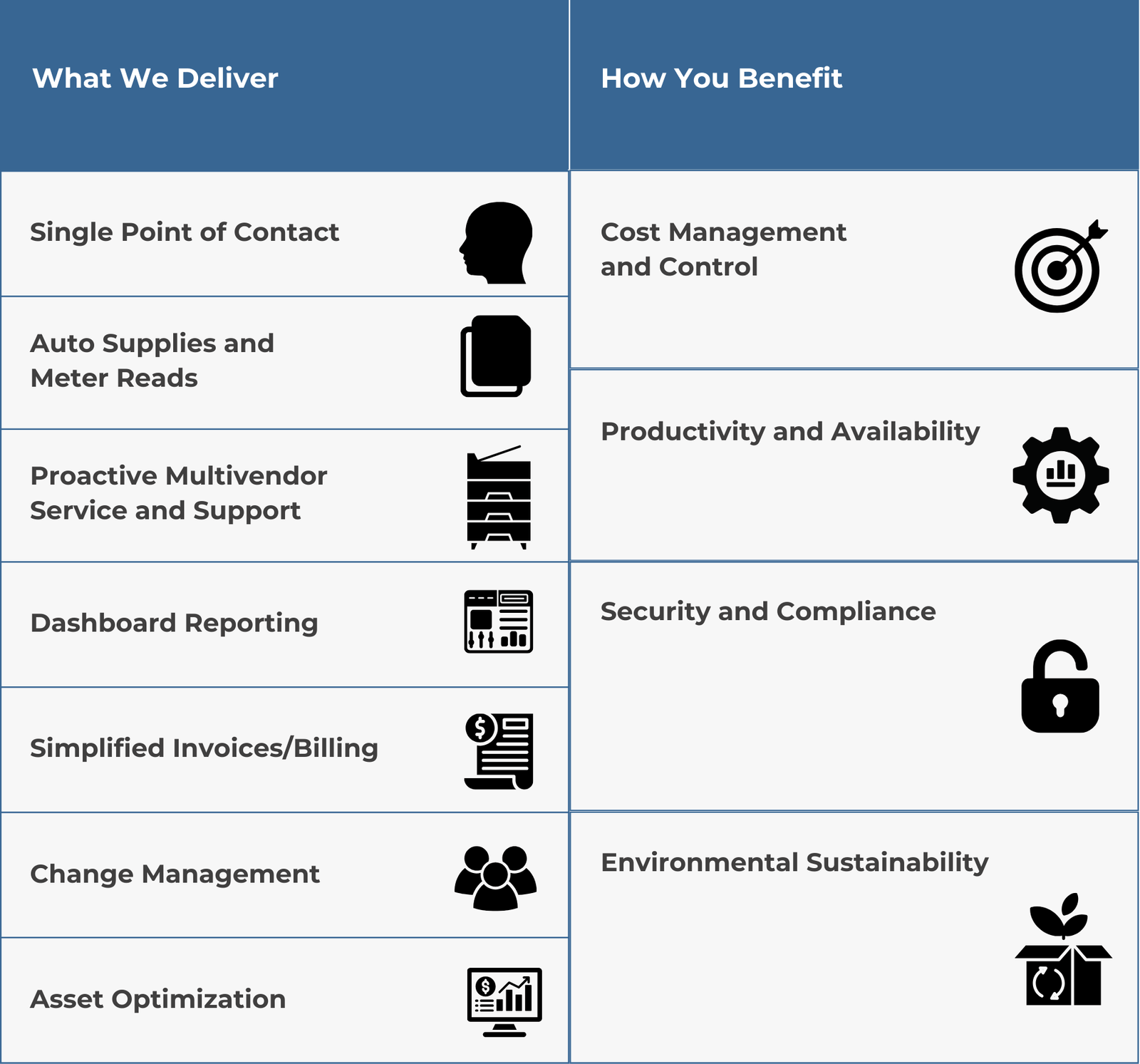
Want to know what a managed print service plan can really do for you? We explain it all in 5 Reasons Why You Need Managed Print Services.
4. Signing a Contract That Doesn’t Fit Your Print Behavior
Let’s say you decide to lease your machine with a print vendor. You could end up overpaying monthly if your print contract doesn't reflect your actual usage.
If you’re entering a lease or managed print agreement, your contract will probably include a set number of “impressions” (that’s pages printed) per month.
Let’s say you’re paying for 10,000 impressions a month. However, if you’re only printing 5,000, you’re paying for double what you need. On the flip side, if you go over that limit, you’ll get hit with overage charges. Even if you’re only paying a few extra cents per page, these costs can add up quickly, especially if you’re already paying other printer-related fees each month.
Remember your estimated monthly print volume when planning impressions in your contract. This will help you avoid overspending or paying for unnecessary impressions.
Learn more about how to catch these common contract pitfalls in the blogs below:
- 10 Red Flags to Look for in Your Printer Contract
- 8 Questions Answered About Impressions Included in a Print Contract
- 3 Reasons You Could be Overpaying for Printing (Solutions)
5. Skipping Professional Installation and Training
You might think all the costly decisions you could make are over, but there’s one final decision to consider as you finalize your printer contract.
Modern printers are networked, have apps, support user permissions, include scanning workflows, and offer cloud integrations. This leaves plenty of room for setup to go sideways.
Some folks try to save a little extra by skipping professional installation. Others pass on the onboarding that teaches staff how to actually use the machine. This mistake could result in frustrated employees, misconfigured settings, and wasted time. Worse, it could cost you money if you set up features incorrectly or damage the machine.
If you’re spending thousands on the printer, don’t cut corners on setup. A trained technician will make sure everything’s connected, secured, and configured for how your team actually works.
Our blog on What to Expect From the Delivery Process of Your Printer walks through the process so you know exactly what’s included.
Download Your Free Printer Buying Guide
Remember that you’re not just buying a printer, you’re investing in a tool that keeps your business moving. By avoiding these five mistakes, you can save yourself time, money, and frustration.
At STPT, we’ve helped thousands of businesses get the right printer setup for their workflow, volume, and budget.
If you're at the stage where you want to compare options and shop smart, we recommend grabbing our Free Guide to Leasing or Purchasing a Printer. It breaks down the pros and cons of leasing vs purchasing, explains how to evaluate machines, and walks you through what to expect in the process.
You're making an important investment in how your team works every day. Let’s make sure it’s the right one.
