 Skip to main content

If you own a production printer and wonder why you’re not getting flawless output and are struggling with color consistency, file issues, or slow turnaround, don’t blame your printer just yet.
Here’s a truth we see often in the field: most production print challenges don’t start at the printer itself. They start earlier in the workflow, where files are processed, colors are interpreted, and jobs are managed. Digital front ends (DFEs) play a critical role in production printing, and Fiery, in particular, comes up often in these conversations.
Before we go any further, let’s be upfront. At Strategic Technology Partners of Texas, we work closely with Xerox production printers, many of which offer Fiery digital front ends. We install them, support them, and train customers on them regularly.
That said, Fiery isn’t the right fit for every print environment. And this article isn’t here to convince you otherwise. The goal is to help you understand where Fiery shines, where it may be more than you need, and how to decide whether it actually makes sense for your operation.
Table of Contents
- What a Digital Front End Does
- What Fiery Is Designed to Do Well
- Where Fiery May Be More Than You Need
- Who Fiery Is Typically a Good Fit For
- How Fiery Fits into Xerox Production Printing
- How to Tell If Fiery Is Right for Your Environment
- Final Thoughts & Next Steps
What a Digital Front End Does
Before we talk specifically about Fiery, let’s go over what a digital front end actually does.
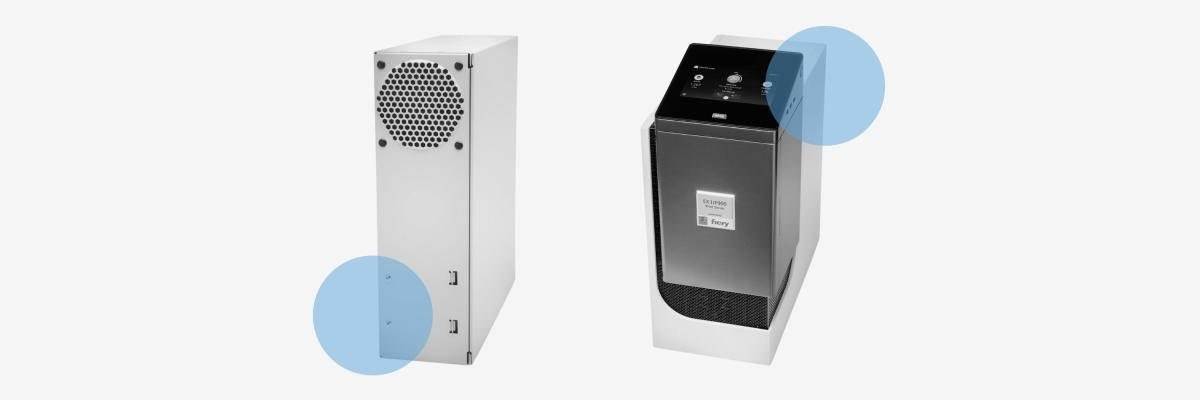
A digital front end (DFE) is the system that sits between your design files and your printer. It’s responsible for processing files, managing color, prioritizing jobs, and controlling how work flows through your print environment. It’s like the brain behind your printer that handles the complex decisions so the engine can focus on putting ink or toner on paper.
DFEs generally come in two forms:
- Embedded or integrated DFEs, which are built directly into the printer
- External DFEs, which are dedicated servers designed for higher performance and more advanced workflows
If you’re new to this topic, our blog on What Is a Digital Front End (DFE) and Why It Matters for Production Printing is a great place to start before diving deeper into platform-specific decisions.
What Fiery Is Designed to Do Well
Fiery has earned its reputation in production printing for a reason. It’s designed to give print environments precision, efficiency, and consistency job after job.
One thing Fiery excels at is color management at scale. Production environments often deal with multiple media types, varying run lengths, and demanding brand standards. Fiery provides the tools to calibrate, profile, and maintain consistent color over time. This helps reduce reprints and wasted materials.
Another area where Fiery stands out is file handling and processing power. If you handle complex PDFs, variable data jobs, and graphics-heavy files, you know they can bog down basic controllers. Fiery is built to process those files efficiently, keeping jobs moving instead of being stuck in a queue.
Workflow control is another key advantage. Features like job presets, automation rules, and advanced queue management help reduce manual steps and operator error. Over time, that adds up to faster turnaround and a more predictable production schedule.
If you’re exploring production printing as a whole, this pairs well with our article on Is a Production Printer Right for Your Business?, which looks at when higher-end workflows start to make financial and operational sense.
Where Fiery May Be More Than You Need
In order to make a confident decision, you must decide whether Fiery meets your goals.
Yes, Fiery is powerful, but it may not be necessary for your environment.
If your print environment runs relatively low volumes, has minimal color sensitivity, or produces the same types of jobs day after day, you may not fully benefit from everything Fiery offers. In these cases, an embedded or integrated controller can often handle the workload just fine.
There’s also a learning curve to consider. While Fiery is designed to be accessible, its more advanced features require training and intentional use. If your team doesn’t have the time or interest in optimizing workflows, it may never tap into its full value.
Cost is another factor. While Fiery can deliver strong ROI in the right environment, it’s not always the most cost-effective option for basic print needs. That doesn’t make it a bad choice—it just means it’s not always the necessary one.
Having an honest conversation with a print vendor will help you more than just reading a feature list.
Who Fiery Is Typically a Good Fit For
In our experience, Fiery fits better in environments where printing is more than an occasional task.
Common examples include:
- Commercial print shops
- In-plant print and marketing departments
- Schools, churches, and government agencies with internal production needs
- Businesses transitioning from office printers to true production devices
- Organizations running variable data or multi-media jobs regularly
If your organization relies on high print quality, consistency, and quick turnaround, or generates revenue, Fiery is a great strategic tool.
You may also find value in reading Office Print Quality vs. Production Print Quality: What’s Right for Your Business?, which helps clarify when production-level tools start to matter.
How Fiery Fits into Xerox Production Printing
Many Xerox production printers offer Fiery as an available digital front end, especially in platforms like the Versant and PrimeLink families. In these environments, Fiery enhances the printer’s capabilities.
Xerox production engines are built for speed, media flexibility, and reliability. Fiery complements that hardware by unlocking advanced workflow control and color management, which allows the printer to perform at its highest level.
If you’re still exploring Xerox’s broader production ecosystem, our Guide to Xerox Production Print Solutionsprovides a helpful overview of how hardware, software, and finishing options work together.
How to Tell If Fiery Is Right for Your Print Environment
If you’re on the fence, here are a few questions worth asking yourself:
- Do you regularly struggle with color consistency or reprints?
- Are your files becoming more complex or graphics-heavy?
- Is your team spending too much time manually managing jobs?
- Are your print volumes or expectations growing year over year?
- Would automation reduce bottlenecks or operator fatigue?
If several of those apply to you, Fiery may be worth a closer look. If not, your environment likely doesn't need that level of control yet.
Fit Matters More Than Features
Fiery is one of the most capable digital front ends available today. The question is, does it align with your actual needs?
That answer depends on your volume, your workflow, your people, and your goals. And that’s where an experienced print partner can help you sort through the options without pushing you toward something you don’t need.
If you’re evaluating production printing or wondering whether Fiery makes sense for your environment, feel free to talk to us.
We’ll help you determine whether Fiery, an embedded controller, or another approach is the right fit for your print operation now and as you grow.
