Office Equipment

Inkjet vs. Laser: Which Printer Is Right for You? (2026)

Submitted by Byanka Ramos on
Video


What is the difference between an inkjet and a laser printer, and which is right for you? Are laser printers better than inkjet printers and vice versa?  

These are common questions anyone who’s ever considered buying a printer will ask. If you want to choose the ideal printer for your printing needs, you must know the answers. Or else risk being stuck with an ill-equipped machine.   

We’ve been a local print vendor for over 40 years and often get asked which type of printer is better for them. The truth is that the right printer type will vary depending on what your goals are.

In this blog, we'll rely on our expertise to provide you with all the information you need about laser and inkjet printers. We’ll compare the features of both printers, such as costs, print speeds, and print quality. This way, you will know which machine is better suited to your printing goals.

Table of Contents

How Fiery Color Management Works (and Why It Matters)

Submitted by Keith Metzler on

There’s a moment most print teams run into at some point. You send a job that looks perfect on your screen, with sharp colors and smooth gradients. Then it comes off the printer, and it doesn’t look right. The colors are slightly different, and the grays look tinted.

The problem is most likely not with your printer but with color management. And in production printing, that’s exactly where tools like Fiery step in.

At Strategic Technology Partners of Texas, we work with print environments every day where color accuracy is a must. And once teams understand how Fiery color management actually works, they start to see why it plays such a big role in consistency, efficiency, and cost control.

Table of Contents

How to Replace Toner in a Xerox AltaLink B8200 Series Copier (Step-by-Step)

Submitted by Matthew Eberhart on
Video

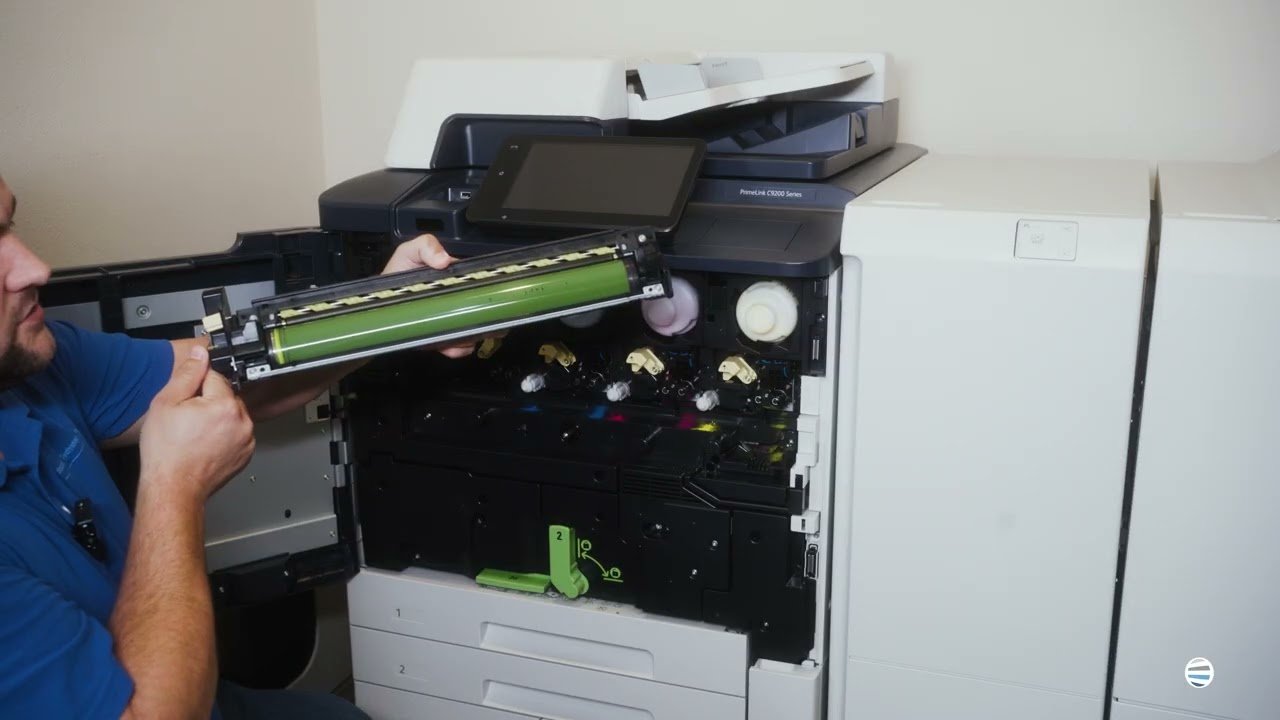
If your Xerox AltaLink B8200 Series copier is showing a “replace toner” message, low print quality, or faded pages, you’re likely here because you need a quick fix that gets your device back up and running fast. The good news is that toner replacement on this model is simple when you know exactly what to look for.

At Strategic Technology Partners of Texas (STPT), we’ve serviced thousands of Xerox printers and copiers across North Texas, and toner replacement is one of the most common maintenance tasks we help customers with every day. Our team has resolved this exact issue countless times, so this guide is built on real field experience.

In this walkthrough, Matthew from The Printing Workshop, a printer technician with several years of hands-on repair experience, will show you exactly how to replace toner in your Xerox AltaLink B8200 Series machine safely and correctly.

By the end of this article, you’ll know:

5 Things to Consider When Going Out for a Copier Bid

Submitted by Karla Metzler on

Making a large purchase for your organization can be a big hassle. You’re not just worrying about price, but also about making the right decision with confidence. And when it comes to copiers and printers, the process can feel overwhelming fast.

You’re balancing budgets, comparing vendors, and trying to make sure you’re not overlooking something important. A copier bid, if done right, is meant to simplify that process.

As a print vendor of Xerox devices, we know the bid process well and can help companies secure the best prices for the equipment they need. In this article, we've compiled 5 major things you should consider when going out for a bid.

Table of Contents

4 Warning Signs of a Toner Scammer and Ways to Avoid Them

Submitted by Byanka Ramos on


Have you ever picked up the phone at work and felt unsure whether the person on the other end was actually who they claimed to be?

It’s happening more often than most businesses realize. In fact, Americans receive an average of 9 scam calls per week, and businesses are frequent targets. From our experience, we’ve had customers reach out to us after receiving suspicious toner calls, unsure whether they were legitimate or not. Many of these scam calls are even coming from bots.

Toner scams aren’t new, but they are getting more convincing. And if you don’t know what to look for, they can scam your business out of hundreds or thousands of dollars.

In this guide, we’ll explain how toner scams work and the warning signs to watch for so you can protect your business with confidence.

Table of Contents

Epson EcoTank vs. Laser Printers: Which One Should You Choose?

Submitted by Byanka Ramos on

You’re standing in the printer aisle (or scrolling online), comparing two wildly different machines; one promises super-low ink costs with vibrant color prints, and the other promises speed, volume, and rock-solid reliability. Both sound good. But which one is actually better for what you need?

That’s exactly what we’re here to help you answer.

We get asked this question all the time: "Should I go with an Epson EcoTank or a laser printer?" The truth is that it’s not just a simple this-or-that choice. The answer depends entirely on how you plan to use your printer, how much you print, and what you care about most: color quality? long-term costs? speed? maintenance?

Xerox vs. Konica Minolta: Which Printer Brand is Best For Me?

Submitted by Nolan Fowler on
Video

We all know that time is precious, especially in the fast-paced world of business. So, when it comes to finding the perfect multifunction printer for your company, it's all too easy to get bogged down in endless options.

We're here to make things easier by putting two leading brands, Xerox and Konica Minolta, head-to-head. We'll give you the lowdown on both brands, highlighting the differences, similarities, and costs of their products. Our goal is to arm you with all the info you need to make a smart decision.

Just to be clear, we sell Xerox products at Strategic Technology Partners of Texas. But that doesn't mean we're biased. We're all about putting you first, understanding your unique needs, and helping you find the best solution for your business or personal goals. That's our commitment to you, and it's at the heart of everything we do.

Is an Inkjet Printer the Best Choice for Your Business?

Submitted by Byanka Ramos on

When a business starts looking for a printer, they’re often told that laser printers are the best choice for the office. While, yes, laser technology dominates most workplace environments, this doesn’t mean inkjet printers can’t also be suitable.

Most people assume that inkjet printers are meant for home use and occasional printing, but that assumption isn’t entirely accurate.

Businesses that rely on high-quality color output can still benefit from inkjet printing technology. Today, marketing teams, designers, photographers, and even some print shops use inkjet printers to produce vibrant images, detailed graphics, and specialized print materials.

At the same time, inkjet printers are not the right fit for every business. The right printer for a business will depend on factors like print volume, document type, operating costs, and reliability.

Printer Size vs. Space Requirements: What's the Difference?

Submitted by Joel Metzler on

One of the top things you need to determine before purchasing an office printer/copier is where you'll set it up in your office, home, living room, business, etc. You need to consider not only the printer's size but also its placement so that you can properly access it when needed.

Printers today come in all shapes and sizes, catering to diverse needs and spaces. There's a printer for every scenario, from compact, desktop-friendly models to large, multifunction machines. 

While powerful and feature-rich, large multifunction printers (MFPs) often lean towards bulkier designs that can take up a lot of space in your business or workspace.

How A Texas School District Reduced Color Printing Costs and Improved Service Across Campuses

Submitted by Karla Metzler on

Growth is exciting, but can your printer fleet keep up with it?

For one of the fastest-growing school districts in Texas, this question kept popping up. More students mean more teachers and more campuses. And with that growth also comes more printing, more color usage, more service calls, and more pressure on IT.

The district needed a print vendor that could scale with them, reduce unnecessary color costs, and deliver reliable local service without disrupting instruction.

Here’s what they were facing, how they evaluated vendors, and what solution they implemented district-wide.

Table of Contents

Subscribe to Office Equipment