CMS vs. DMS - What’s the Difference and Which One Does Your Business Need?

Submitted by Keith Metzler on

Many organizations start researching CMS (content management systems) only to run into another acronym: DMS (document management system). These sound similar, but the truth is they solve very different business problems.

Not knowing the difference between a CSM and a DMS can lead to the wrong system choice, resulting in messy workflows, compliance gaps, and wasted budget. When you understand what each platform is built to do, the decision becomes much clearer.

In this guide, we’ll compare CMS vs. DMS so you can determine which system actually fits your environment.

Table of Contents

Customer Success Story: Bluebonnet Feeds Improves Printer Uptime with Local Service

Submitted by Karla Metzler on

Tired of unreliable printer service from your print vendor? See how Bluebonnet Feeds improved uptime and support with a smarter local solution.

When your team depends on reliable printing every day, slow service and constant supply headaches can quietly drag down productivity. That was the reality for Bluebonnet Feeds in Ardmore, Oklahoma.

After partnering with Strategic Technology Partners of Texas (STPT), they gained faster support, automated supply fulfillment, and more confidence in their print environment.

If you’re currently evaluating providers, read our guide, “5 Signs of a Quality Print Vendor.”

Below is a look at what changed for Bluebonnet Feeds and why it worked.

What Products and Services Do We Offer?

Submitted by Karla Metzler on

Printers and document workflows shouldn’t slow your business down. But for many organizations, unmanaged print environments quietly waste time, budget, and IT resources.

At Strategic Technology Partners of Texas (STPT), we help businesses take control of print, document, and workflow processes with reliable technology, local service, and proven software solutions.

Table of Contents

How to Replace the Color Imaging Kit on a Xerox VersaLink C625: A Step-by-Step Guide

Submitted by Matthew Eberhart on
Video


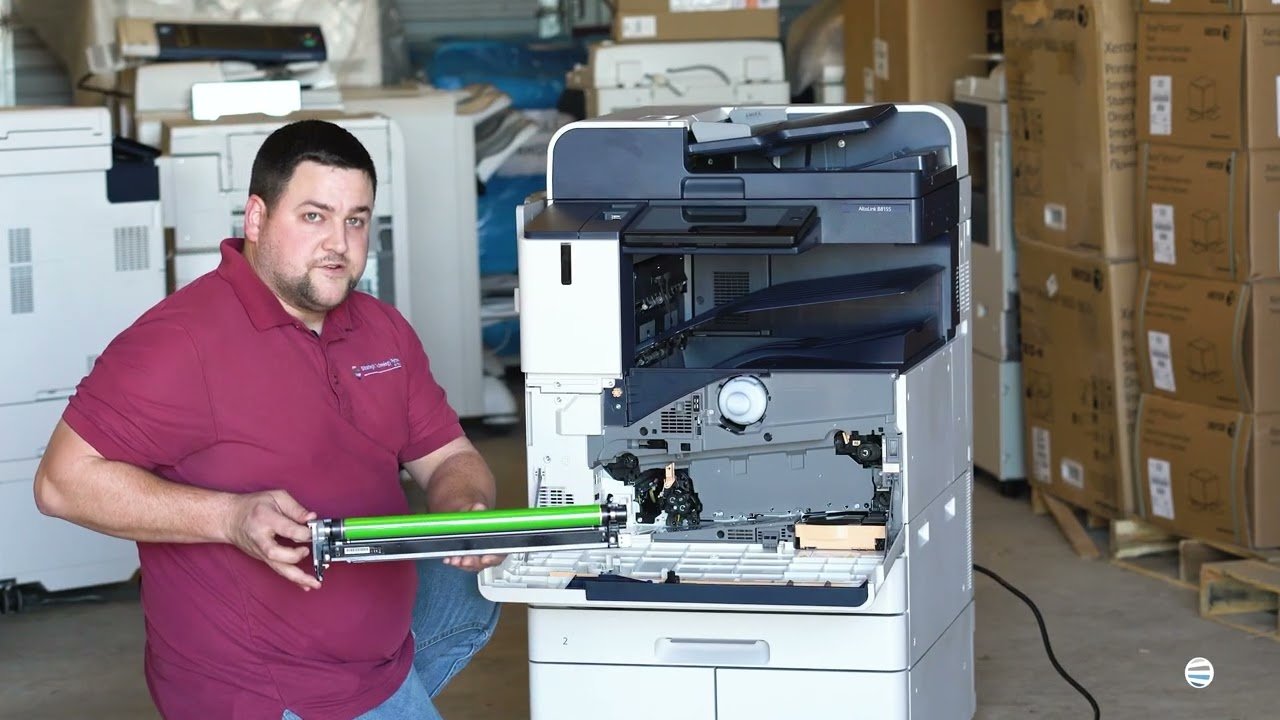
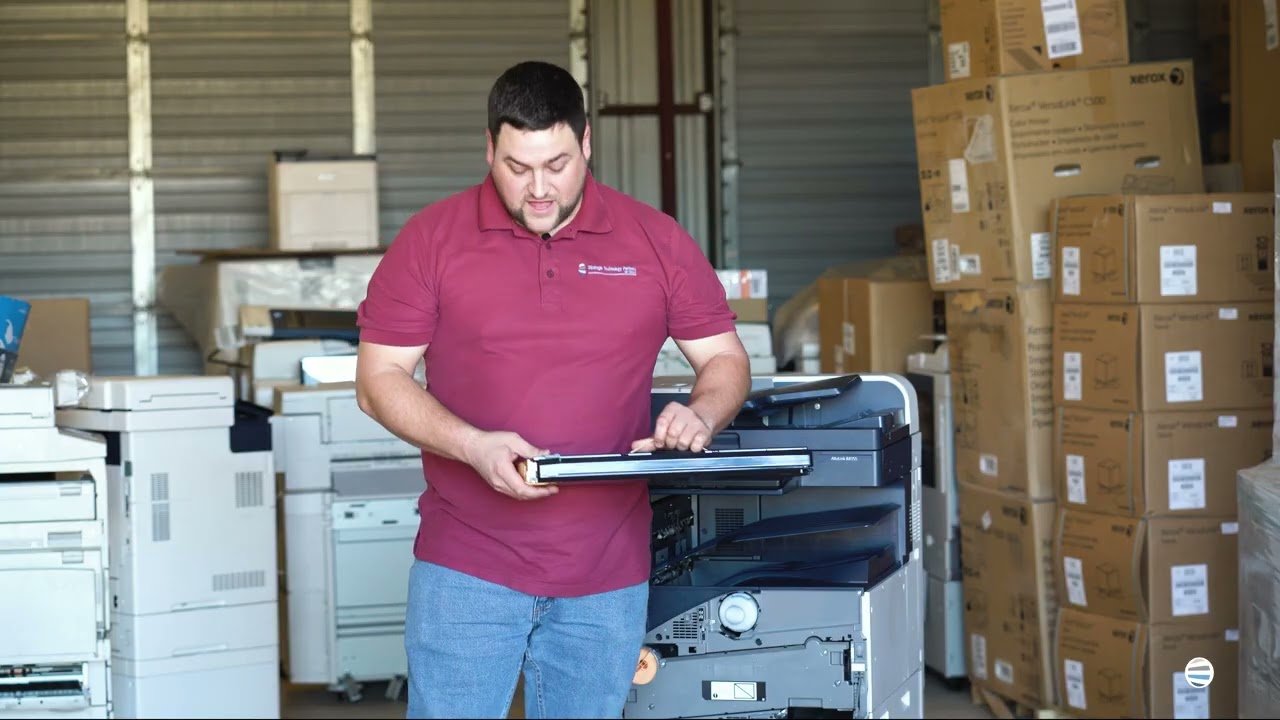
If your Xerox VersaLink C625 printer is throwing imaging kit errors, printing streaky or discolored pages, or warning you about a maintenance issue, you're in the right place. It’s likely that your color imaging kit is due for a replacement. This isn’t just a maintenance suggestion. Ignoring it can seriously hurt your printer’s performance and, over time, your team’s productivity. That’s where we come in.

Strategic Technology Partners of Texas (STPT) has serviced thousands of printers across Texas, including this exact issue. We’ve seen what happens when businesses delay replacing their imaging kits: print jobs suffer, frustration builds, and costly repairs become unavoidable.

How to Replace the Black Imaging Kit on a Xerox VersaLink C625: A Step-by-Step Guide

Submitted by Matthew Eberhart on
Video


If your Xerox VersaLink C625 has started throwing up maintenance alerts, or you’ve noticed streaks, smudges, or faded black text, it’s probably time to replace the black imaging kit. You might be asking: What is that? Can I do it myself? Do I really need to fix it now?

The short answers: It's a key part of your printer, yes, you can do it yourself, and yes, you need to handle it before your print quality takes a nosedive.

At Strategic Technology Partners of Texas (STPT), we’ve serviced thousands of Xerox printers just like yours, and we've replaced just as many black imaging kits. It's a simple repair when you know what you're doing, and it can save your business time, money, and a lot of print headaches.

In this tutorial, you’ll follow Matthew, one of our most experienced technicians, as he shows you exactly how to remove and replace the black imaging unit inside your VersaLink C625.

How to Replace the Waste Cartridge on a Xerox VersaLink C625

Submitted by Matthew Eberhart on
Video


When your Xerox VersaLink C625 flashes a warning that the waste toner cartridge is full, it’s not just a suggestion; it’s a demand. Ignoring it can lead to print quality issues, halted jobs, and frustrated coworkers standing around the printer with arms crossed. If you’re reading this, chances are your machine’s had enough, and you're wondering: What even is a waste cartridge, and how do I replace it without making a mess?

That’s exactly what this guide is here to solve.

We'll walk you step-by-step through how to replace the waste toner cartridge like a pro, even if you’ve never opened a printer panel before. You'll be guided by Matthew, a seasoned printer technician from Strategic Technology Partners of Texas (STPT). Our company has serviced thousands of printers just like yours. Our experts don’t guess, they know exactly what they’re doing because they’ve fixed this problem more times than you can count.

5 Signs of a Quality Print Vendor (And How to Spot One Before You Commit)

Submitted by Karla Metzler on

When businesses shop for a new printer or copier, they often focus on factors such as brand, speed, and price. But what many organizations don’t realize until later is that the print vendor they choose often has a bigger impact on their day-to-day experience than the hardware ever will.

A quality print vendor can simplify operations, control costs, and prevent problems before they start. A poor one the other hand, can leave you dealing with downtime, confusing bills, and support that’s hard to reach when you need it most.

This article breaks down five clear signs of a quality print vendor so you can evaluate potential partners before signing anything. Our goal is to help you feel confident in the decision you’re making.

Table of Contents

How to Replace the Fuser on a Xerox VersaLink C625

Submitted by Matthew Eberhart on
Video

Is your Xerox VersaLink C625 printer giving you dull prints, random smudges, or wrinkled paper? The culprit might just be your fuser. Many people don’t realize how essential the fuser is until their print quality nosedives or their machine starts jamming. If you’re dealing with inconsistent output or frequent breakdowns, it’s probably time to replace this critical component.

In this blog, you’ll learn exactly when and why to replace your fuser, and you’ll get a step-by-step guide from a seasoned printer technician who’s done it thousands of times. His name is Matthew, and he's one of the experts from Strategic Technology Partners of Texas (STPT). Our STPT team has been in the trenches, repairing thousands of printers across industries and organizations.

At, STPT we know our stuff, and more importantly, we know how to make this easy for you.

By the time you finish this article, you’ll know:

Top 5 Best Printer Brands (2026)

Submitted by Karla Metzler on

According to 360 Research, there are more than 40 global printer manufacturers competing in the printer market. Yet despite the size of the market, only a handful of printer brands consistently lead the industry worldwide.

For buyers, that creates a familiar problem: too many options that look similar on the surface, but differ in meaningful ways once you dig deeper. Features, long-term reliability, support, and software ecosystems often matter far more than logos or price tags.

As a locally managed print vendor for nearly 40 years, we’ve worked with businesses across a wide range of industries and print environments. That experience gives us a clear view of how different printer manufacturers compare in real-world use.

Is Fiery the Right Digital Front End (DFE) for Your Print Environment?

Submitted by Keith Metzler on

If you own a production printer and wonder why you’re not getting flawless output and are struggling with color consistency, file issues, or slow turnaround, don’t blame your printer just yet.

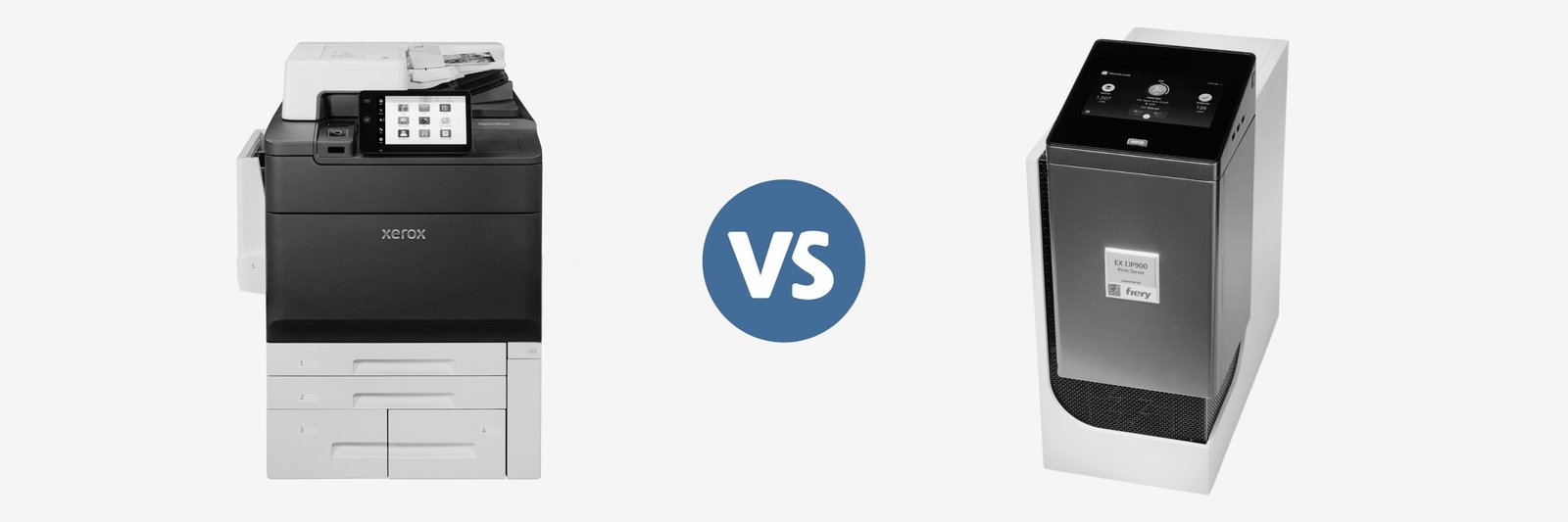
Here’s a truth we see often in the field: most production print challenges don’t start at the printer itself. They start earlier in the workflow, where files are processed, colors are interpreted, and jobs are managed. Digital front ends (DFEs) play a critical role in production printing, and Fiery, in particular, comes up often in these conversations.

Before we go any further, let’s be upfront. At Strategic Technology Partners of Texas, we work closely with Xerox production printers, many of which offer Fiery digital front ends. We install them, support them, and train customers on them regularly.

Subscribe to